
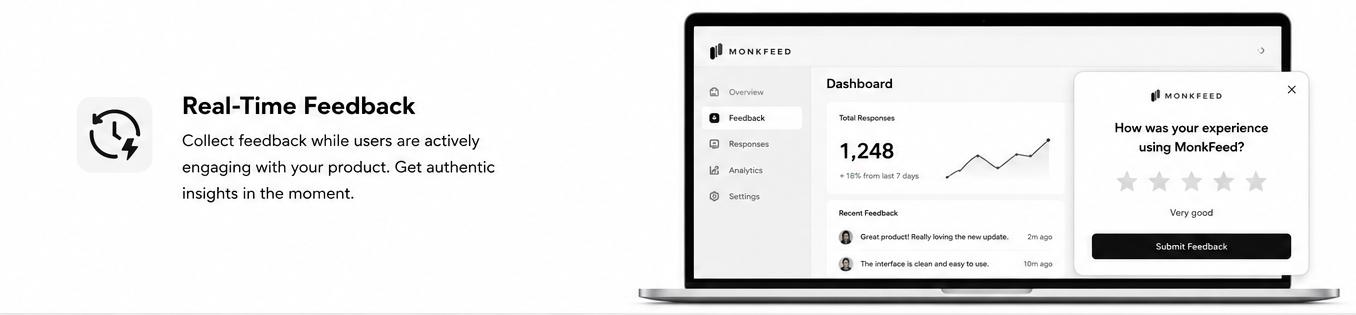
Real-Time Engagement
Feedback widgets capture insights while users are actively engaged with your site or app, rather than relying on surveys sent days later. This real-time approach yields significantly higher response rates because users can provide feedback in the moment when the experience is still fresh in their memory.
When you wait — even 24 hours — recall accuracy drops, motivation evaporates, and the user has moved on to the next task. The widget closes that gap. The feedback you collect is more specific, more emotional, and more actionable.
Strategic Placement and Timing
Non-intrusive positioning — such as a slim button in the bottom corner or a thin side tab — keeps the widget visible without interrupting the main content. Users always know where to find it, but it never gets in their way.
Layer that visibility with smart timing:
- Trigger a popup after a user scrolls past 50% of the page
- Fire an exit-intent prompt when the cursor leaves the viewport
- Show a contextual prompt after a key action completes (purchase, feature use, signup)
Each of these targets users who have spent enough time to form an opinion worth capturing.

Reduced Friction
Feedback widgets give customers a low-effort way to share insights without leaving the page. There's no separate tab, no login, no email round-trip — just a single click and a short prompt right where they are.
In-app surveys catch users when they're already engaged with your product. One real-world case study reported a nearly 50% survey completion rate when a feedback widget was placed prominently within the UI — a number that's effectively impossible to hit with email or external survey links.
Less friction means more responses. More responses mean clearer signal.
Focused Question Design
Multi-step widgets guide users through targeted, focused questions rather than asking for vague, open-ended feedback. "How was your experience?" gets ignored. "Did this checkout flow feel fast?" gets answered.
A structured, one-question-per-step flow:
- Reduces cognitive load on the user
- Encourages more detailed, thoughtful responses
- Cuts mid-form abandonment significantly
- Lets you branch questions based on earlier answers
The result is feedback you can actually act on, not a pile of unstructured comments waiting to be tagged.

Comparison to Traditional Methods
Feedback widgets consistently outperform traditional feedback collection methods like email surveys, NPS-only emails, and post-event forms. By being present during active usage, they naturally generate higher engagement and completion rates than any external request can.
The difference is structural, not cosmetic:
| Channel | Where it lives | Typical completion | |---|---|---| | Email survey | Inbox, days later | 2–10% | | Pop-up modal | Mid-experience | 10–20% | | In-app widget | Inside the product | 30–50%+ |
It's not that email is bad. It's that context wins. A widget that lives where the experience happens will always have an unfair advantage over a link that asks the user to remember and report.
The Takeaway
Response rates aren't a mystery — they're a function of when you ask, where you ask, how hard it is to answer, and how focused the question is. Feedback widgets win on all four axes by design:
- They ask in real time, not days later.
- They sit inside the experience, not outside it.
- They require one click, not an email round-trip.
- They use short, focused, multi-step flows.
If you're still relying on email surveys to understand your users, you're collecting the opinions of the few who remembered to reply — not the signal of the many who actually used your product. MonkFeed's widget is built around every principle in this article, so you can stop guessing and start capturing the feedback that's already happening in your app.